
Appearance
Managing Projects
Work with an existing project from its Projects Dashboard - review disbursements, and keep supporting documents in the project's File Repository.
The Projects Dashboard
Open a project to reach its dashboard, where you can see its details, disbursements, and attached files alongside the project's statistics and budgets.
File Repository
Every project has a File Repository for storing supporting documents - exported reports, client paperwork, bill CSVs, and anything else that belongs with the project.
- Add files by dragging and dropping them onto the repository, or using Select a File
- Each file shows the uploader, File Name, Description, Date, and Size
- Use the row actions to open, download, or delete a file
Cleaner File Tables
You can now hide the file descriptions in the file table for a cleaner, easier-to-scan layout. Click the hide description (eye) icon above the table to collapse the Description column so file names stand out; click it again to show descriptions when you need them.
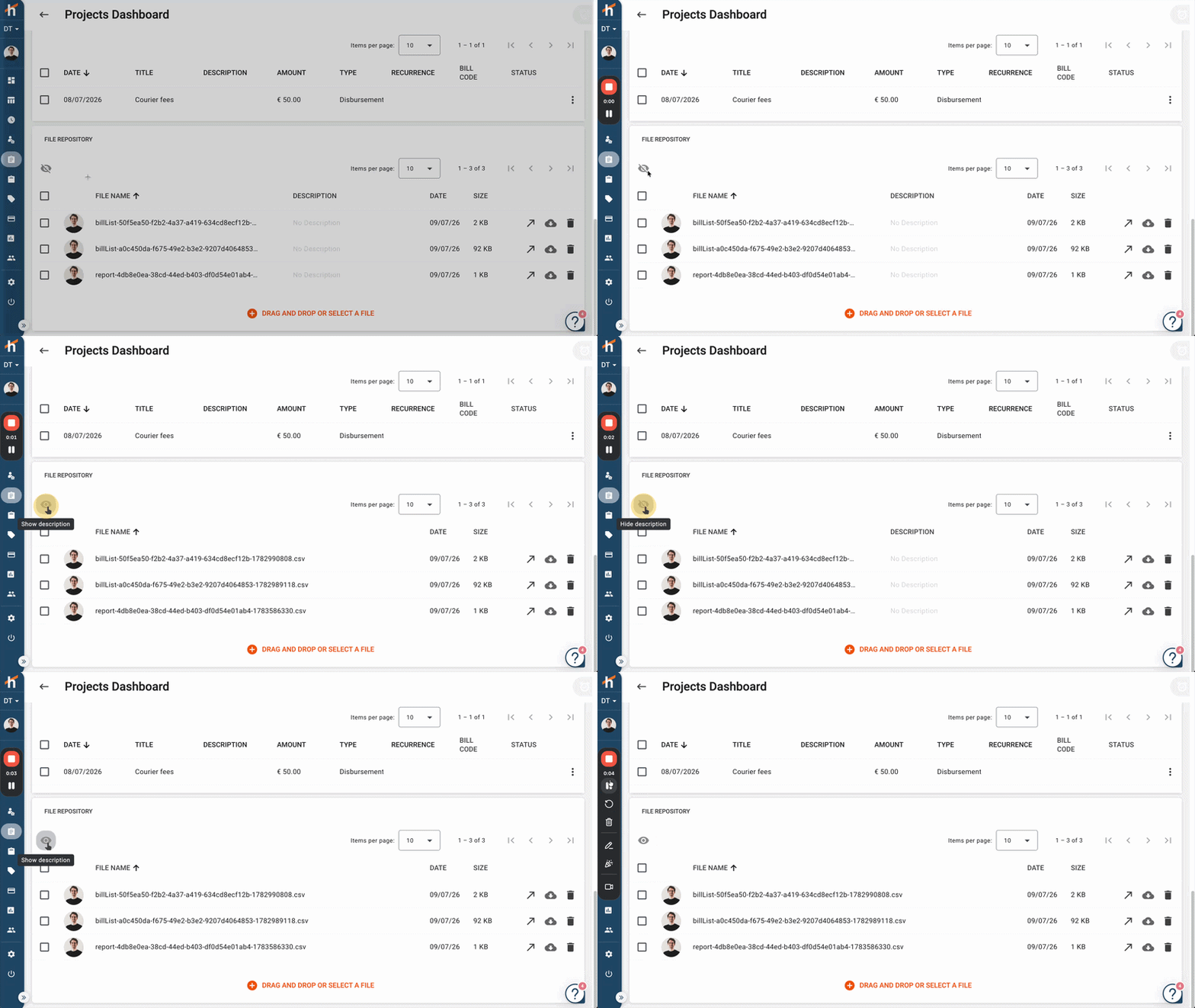
This is purely a display preference - it doesn't change or remove any descriptions, it just controls whether the column is shown.
Related Topics
- Creating Projects - Set up a new project
- Project Status - Activate, close, and reopen projects
- Tailored Statistics - Customise the project dashboard views
- Project Budgets - Track cost, time, and chargeable budgets
Have questions? Visit our FAQ or contact [email protected]