
Appearance
Change History & Activity Logs
See who changed what, and when - a full audit trail built into the records you already work with.
Overview
hidma keeps an audit history of the changes made to your key records. Rather than living in a separate admin console, the history sits on the record itself: open a client, a project, a user, or a bill, and the log of what happened to it is right there.
This answers the questions that come up constantly in a busy practice - who changed this client's primary contact?, when did this project's budget move?, who edited this bill after it was approved? - without anyone having to guess or reconstruct events from memory.
Where Change History Appears
Change history is currently available on:
| Record | Where to find it |
|---|---|
| Clients | The client's dashboard, in the Change History panel |
| Client Groups | The client group's dashboard |
| Projects | The project's dashboard |
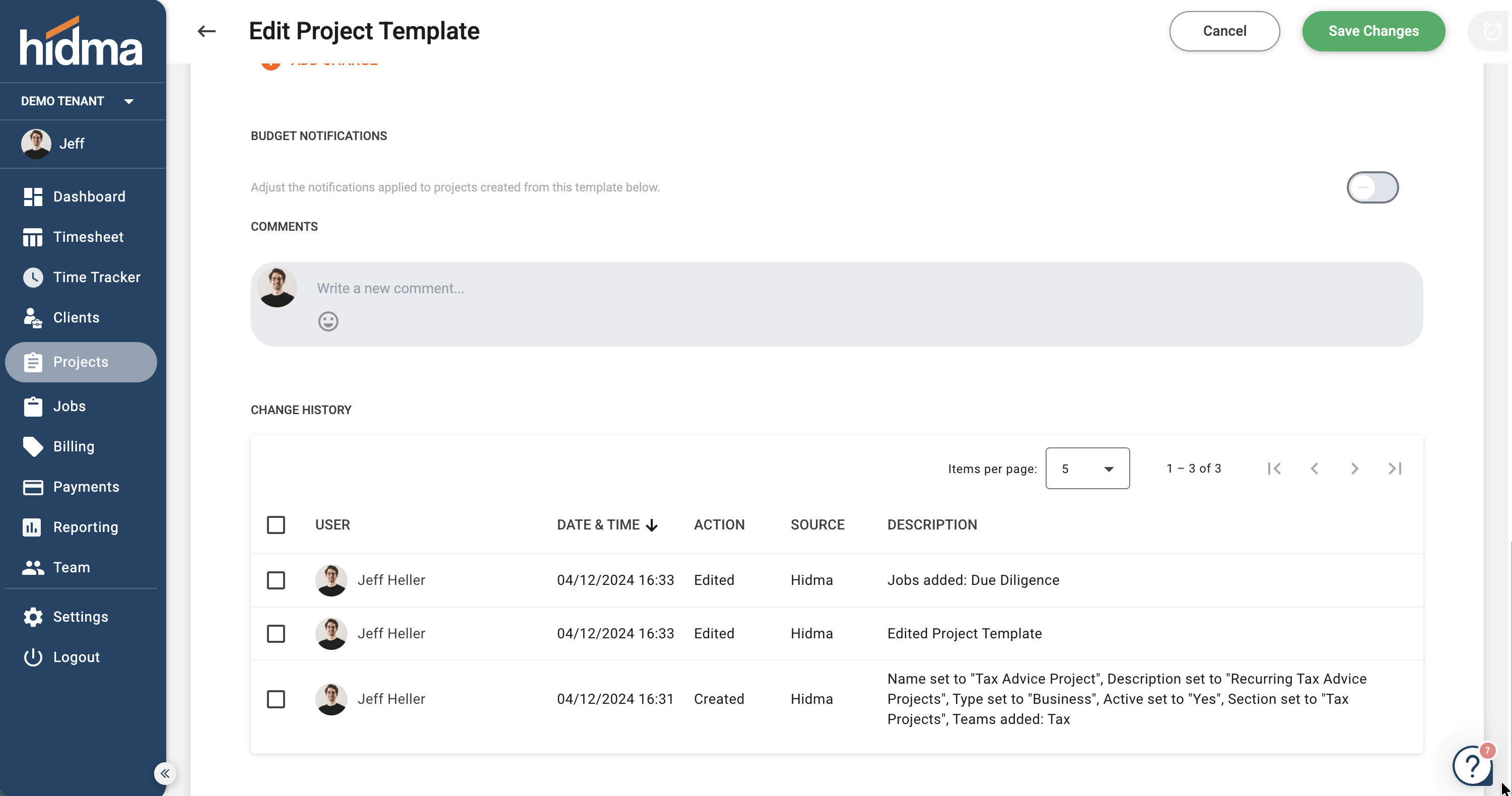
| Project Templates | When editing the template, below Comments |
| Recurring Projects | On the recurring setup |
| Recurring Bills | On the recurring bill setup |
| Users | The user's dashboard |
| Bills | When viewing an individual bill |
More areas are on the way
Activity logs are being rolled out across the platform. The areas above are live now; additional areas will start showing their own change history in future releases.
Why It Matters Most on Recurring Records
Change history on Project Templates, Recurring Projects, and Recurring Bills answers a question the one-off records can't: why do the instances before and after a certain date look different?
A template or a schedule is edited once, but the effect shows up silently in every project or bill generated from that point onwards. Without a log there is nothing on the generated records themselves to explain the change - each one simply reflects whatever the blueprint said at the moment it was created. The history on the blueprint is the only place that story is recorded.
Reading the Log
Open the record and scroll to the Change History panel.
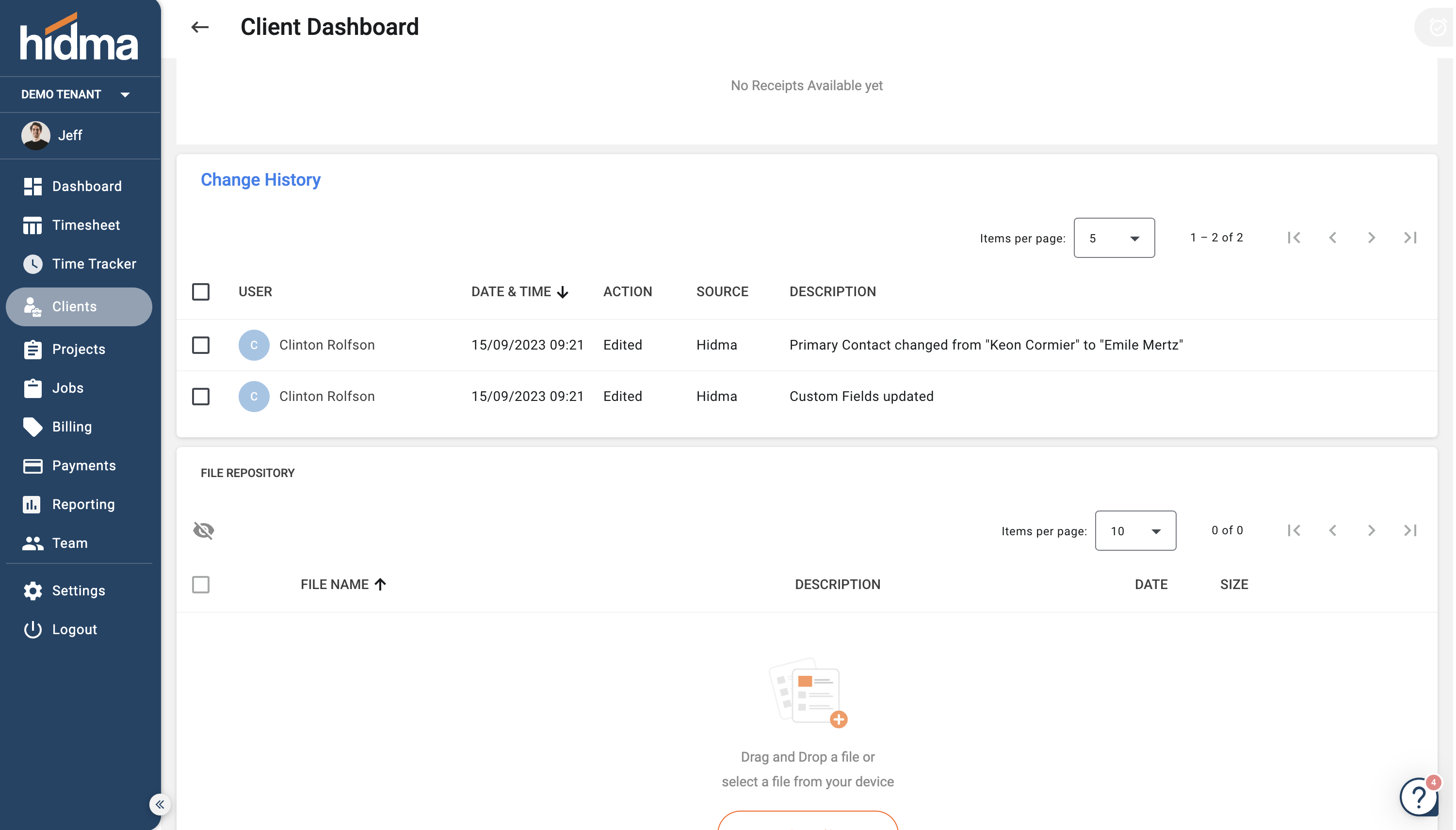
Each entry records a single change:
- User - who made the change
- Date & Time - when it happened
- Action - what kind of change it was (for example, Edited)
- Source - where the change originated. hidma means it was made in the app; changes that arrive through an integration are attributed to their source, so a Xero sync is distinguishable from someone typing in hidma
- Description - what actually changed, in plain language, including the before and after values where they apply - for example, Primary Contact changed from "Keon Cormier" to "Emile Mertz", or Custom Fields updated
The list is sorted by Date & Time with the most recent change first. Click the column header to reverse the order, and use the Items per page selector and the paging arrows to work back through older entries.
What It's Useful For
Settling "who changed this?" quickly. When a bill total, a client contact, or a project budget isn't what someone expected, the log names the person and the moment - so the conversation starts from fact rather than recollection.
Tracing a change back to its source. The Source column separates edits made in hidma from ones that came in through an integration, which is usually the fastest way to work out why a value moved on its own.
Audit and review. Client, project, user, and bill records now carry their own evidence trail, which is what most quality-review and audit procedures ask for.
Spotting accidental edits. A change nobody meant to make is easy to miss and hard to find later. A quick look at the history on a record shows recent activity at a glance.
Related but different: Xero audit notes
Change History is hidma's own record of changes. Separately, the Xero integration can push audit history notes into Xero when syncing contacts or bills, so the originating hidma user is visible on the Xero side too. See Enhanced Audit Trails.
Related Topics
- Managing Clients - Client status and the client dashboard
- Client Groups - Group dashboards
- Managing Projects - The project dashboard
- Project Templates - Template history
- Recurring Projects - Schedule history
- Recurring Bills - Recurring bill history
- Managing Users - User records
- Creating Bills - Working with individual bills
- Xero Integration - Sync events and Xero-side audit notes
Have questions? Visit our FAQ or contact support@hidma.com